
How many hours a day does every truck really work?
You decide if you're missing another truck or if it's enough to move work that you're still on the afternoon.
Time with work assigned and in motion, on the available day, from GPS or from Dromivia.
The use of each truck and the cost of each trip, on the same screen.
One van leaves every day and the other one stays the afternoon at the base. With the use, empty miles and the cost of each trip on the same screen, you see the balance and you correct it today.
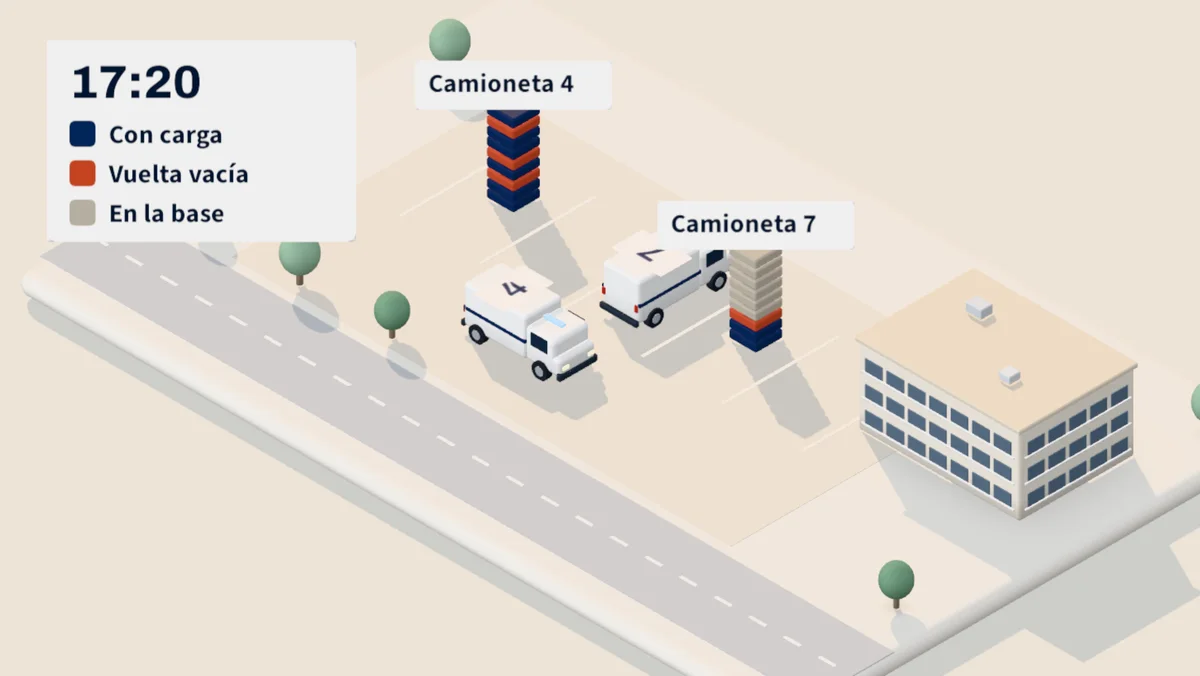
Time per hour the hours are stacked with load, empty turns and time at the base. So you see that the 4 goes out all day while the 7 is parked.
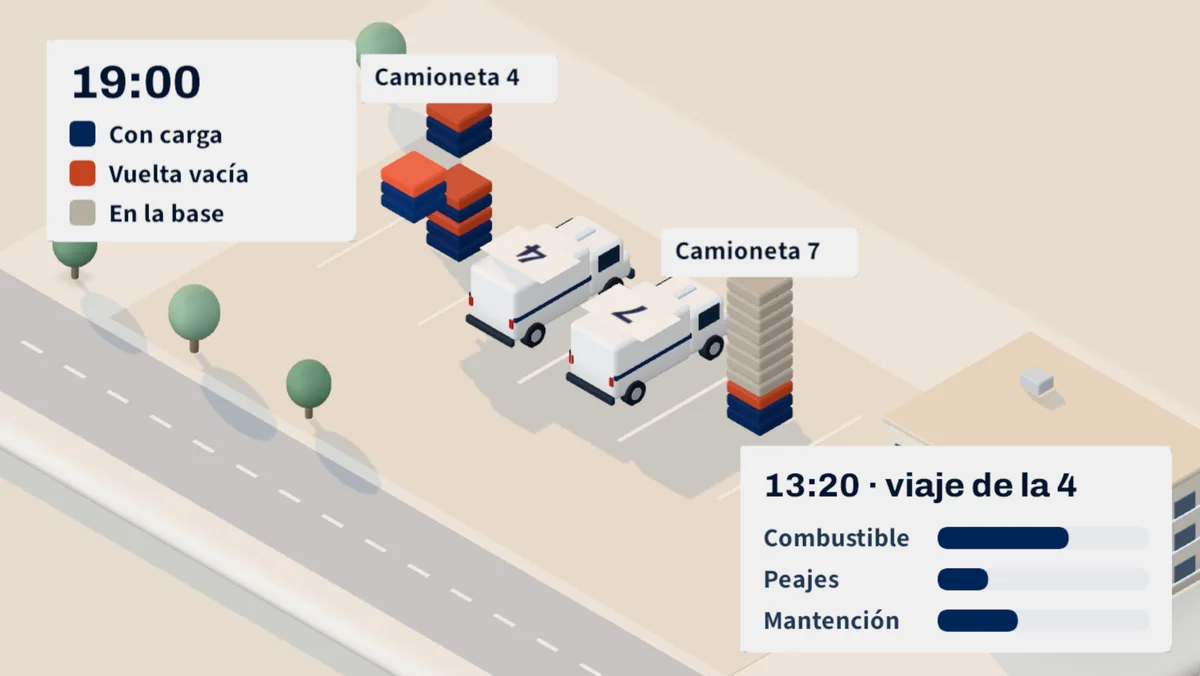
Each section is marked as loaded or empty. Michiva tells you which orders could be taken back and leaves the reassignment ready for approval.
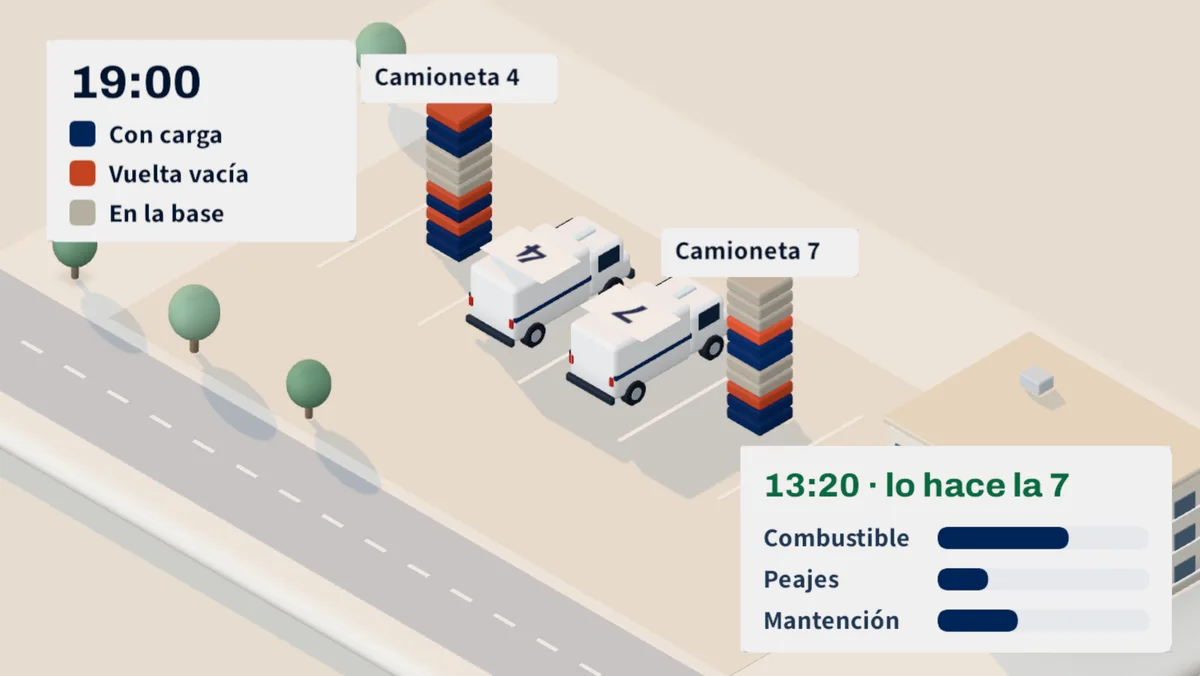
Fuel, TAG and maintenance are distributed on every trip according to the miles, and every amount says where it came from. So you know if the 13: 20 trip is to be done with the 4 or the 7.
I was struck that the fuel would go up if we had more or less sent the same orders. I thought it was the price. When we checked it on the console, the 4 van was doing half of the trips, with about 40 kilometers a day going empty, and the 7 remained at the base three afternoon a week.
Marcela Pérez
Management and Finance Manager
I put the use of the 4 and the 7 next to each other and it was clear. We passed four orders from the afternoon to the 7, no more, so as not to disarm everything. They were left with similar days and the 4 was able to go to the workshop the day that it was played without leaving the southern area. We left it kept to see how it goes next month.
Rodrigo Muñoz
Chief of Operations
Every answer comes out of what your team already records at work. No one has to set up a spreadsheet for that.
You decide if you're missing another truck or if it's enough to move work that you're still on the afternoon.
Time with work assigned and in motion, on the available day, from GPS or from Dromivia.
Rearm the turns or joints ordered by area before adding trips.
Kilometers without work assigned on the total, by truck, area and week.
Fair rate or frequency with customers who cost more than they pay.
Fuel, tolls and maintenance per kilometer, added per trip and per customer.
Connect your GPS or activate the Dromivia telemetry, and load each truck with its capacity and schedule.
You go up a month of fuel, tolls and workshop so that the cost per trip starts with history.
Base marks, areas and loading points, and the first empty kilometres appear.
Compare use and cost per truck and choose which change to try first.
How the orders come to you, how many vans come out and what you get away with today, so we show you where to start.